Home » SAP (Page 5)
Category Archives: SAP
System Recommendations – Advantages & Features.
Advantages and Features of System Recommendations feature of SAP Solution manager are as below :
Advantages:
- Increased system security by applying up-to-date security relevant notes exactly tailored for the respective system.
- Provides a detailed recommendation based on the system release and already implemented SAP notes.
- Easy-to-use filter settings allow exact selection of system or solution.
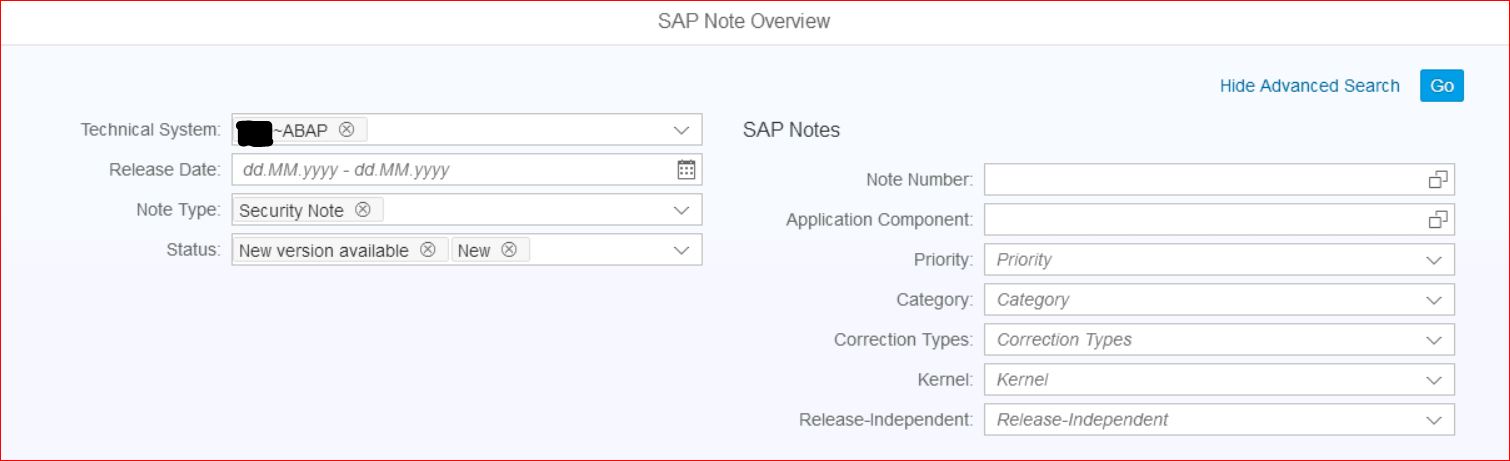
The recommendations comprise the following notes categories:
- Security notes
- Performance relevant notes
- HotNews
- Legal change notes
- Correction notes / Patch notes (deactivated by default)
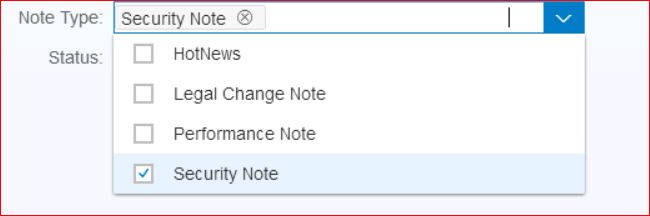
Features Include :
- Integration into Change Request Management (ChaRM) to directly create Requests for Change for the selected notes.
- Integration with Usage Procedure Logging (UPL) to distinguish between used and
unused code. - Integration into Change Impact Analysis to calculate the impact and testing scope.

How to add or change your mobile phone settings?
To add or change your mobile phone setting, go to this link in SAP ONE Support Launchpad –> https://launchpad.support.sap.com/#/user/profile or by selecting the drop-down menu in the upper-right corner next to your user name.
Here you can select Edit Header to add or edit your phone number 1 and phone number 2. By default, SMS notifications are sent to the phone number ‘Phone 2’.

How to enable SMS Notifications for SAP ONE Support Launchpad?
To enable SMS Notifications for SMS Notifications for SAP ONE Support Launchpad, go to this link –> https://launchpad.support.sap.com/#/notification/manage
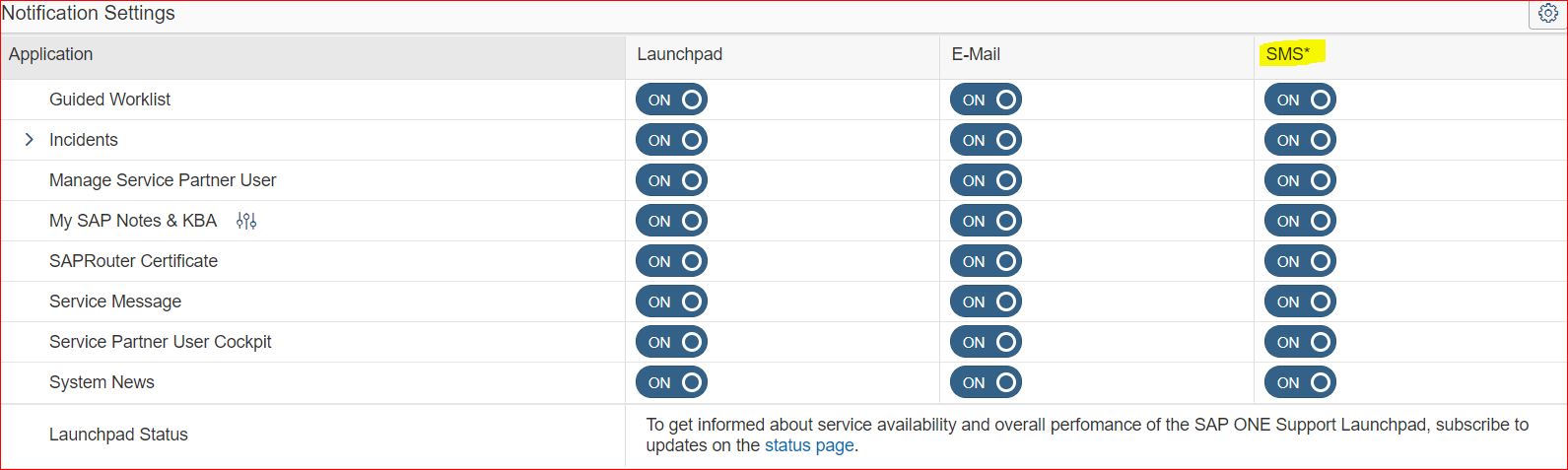
By default, SAP ONE Support Launchpad users will NOT have SMS enabled and will have to opt-in to have text messages sent for each type of notification.
To change your mobile phone number, refer this link
Excel Template Missing sap_sm.xls Error
sap_sm.xls Error

Solution
- Goto Productive Client
- Run report BCALV_BDS_MAINTENANCE
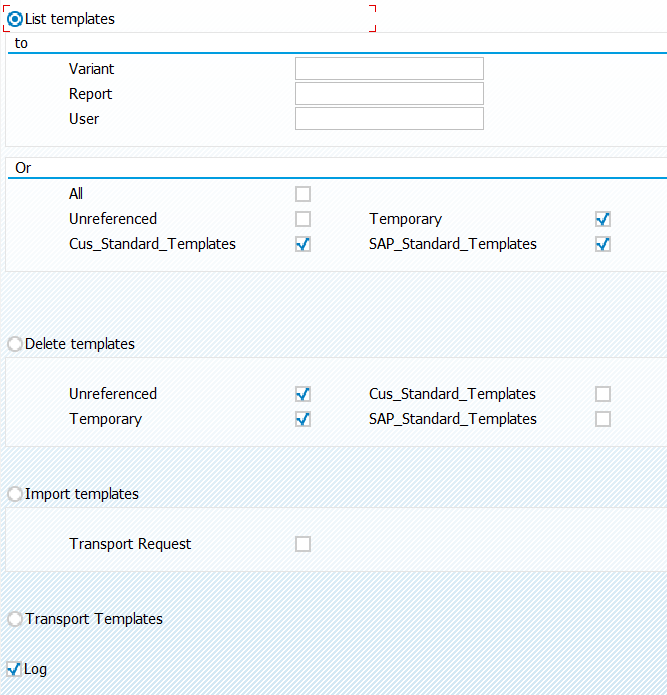
- Select List Templates and check if any standard templates are available.
- If duplicate sap standard templates exists then
- Take backup of customer templates in transport requests.
- execute delete templates (Ureferenced, Temporary)
- Now in productive client run report BCALV_BDS_IMPORT_SAP_TEMPLATE.
Refrence Notes:
- 1937247 – How to manage SAP standard templates
- 1686797 – ALV Excel: Signed SAP standard templates
- 1771260 – ALV view: Signed SAP standard template
- 696069 – No data when view Excel Inplace on ALV with Office XP/2003/2007/2010/2013/2016
- 316728 – ALV view: Importing SAP_OM.XLS + SAP_MM.XLS Excel templates
- 305900 – Standard SAP templates do not exist
- 548409 – ALV view: Consulting note for Excel Inplate/templates
How to do mass RFC connection test in SAP?
Follow below steps to do mass rfc connection test
Goto SE38 -> RSRFCCHK,
Enter RFC destinations names (use wildchars)
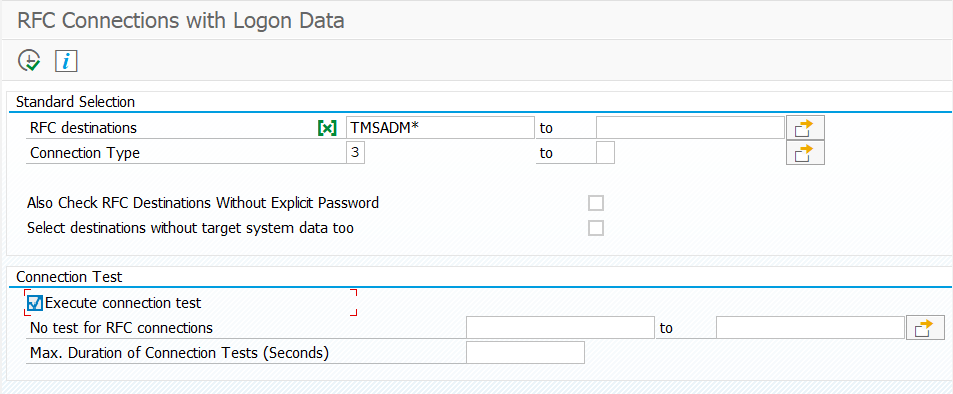
Description of Fields in above reports:
- RFC destinations: Either provide RFC names or use a wildchar.
- Connection Type: Choose from below available connection types.
- I Connection to Application Server with Same Database
- 3 Connection to ABAP System
- 2 Connection to R/2 System
- T Start External Program Using TCP/IP
- L Reference Entry (Refers to Other Destination)
- S Start External Program Using SNA or APPC
- X RFC Using Special ABAP Driver Routines
- M CMC Connection
- H HTTP Connection to ABAP System
- G HTTP Connection to External Server
You must be logged in to post a comment.